CalcBoard / Apple Calculator Alternative
An Honest Apple Calculator Alternative
Apple's Calculator got genuinely good in iOS 18 — and it still shows one calculation at a time. Here is exactly where it stops, where CalcBoard picks up, and why most people end up running both.
Download CalcBoard FreeWhere Apple Calculator stops
| Capability | Apple Calculator (iOS 18) | CalcBoard |
|---|---|---|
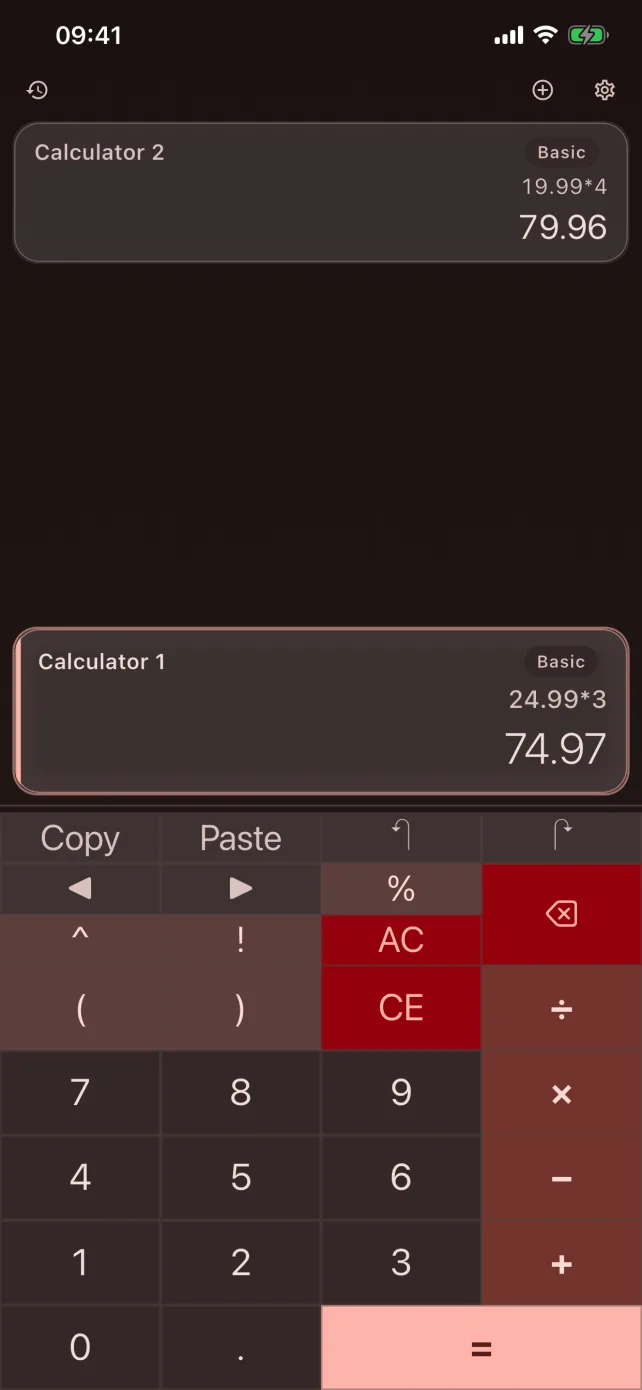
| Calculations visible at once | One | 2 free / up to 8 with Premium |
| Scientific keypad in portrait | Landscape only on iPhone | Any orientation, any panel |
| Programmer mode (BIN/OCT/DEC/HEX, bitwise) | Not available | All four bases shown simultaneously |
| Transfer results between calculations | Copy/paste | Shared value tray (50 values) + named variables |
| Arithmetic precision | Binary floating point (display-rounded) | Exact decimal — 0.1 + 0.2 = 0.3 exactly |
| History tools | Basic list | Bookmarks, custom labels, search, CSV export (Premium) |
| Appearance | System look | 8 themes × light/dark × 6 button styles |
| Price | Free, built in | Free / $2.99 one-time, no ads |
Credit where it is due
Apple's app is a strong default for one calculation at a time, and iOS 18 made it genuinely good: Math Notes is a real innovation for worked problems, and history, unit conversion (including currency, which CalcBoard does not do) and an iPad version all arrived together. CalcBoard does not try to replicate Math Notes.
Who should add CalcBoard
Add CalcBoard if you regularly compare two numbers, need a programmer calculator, want scientific functions in portrait, or care that your money math is exact to the last cent. It is free for two panels, so the comparison costs nothing.
The two coexist happily — most people keep Apple's app for quick one-offs and reach for CalcBoard the moment a task involves more than one number. CalcBoard's Control Center quick launch puts it one tap away without displacing anything.
Frequently Asked Questions
Is the Apple Calculator good now?
What can CalcBoard do that Apple Calculator can't?
Can I use both?
Keep Apple's app. Add the panels.
CalcBoard is free with 2 panels and no ads — try it next to the built-in calculator.
Download Free on App Store