CalcBoard / Two Calculators at Once on iPhone
How to Use Two Calculators at Once on an iPhone
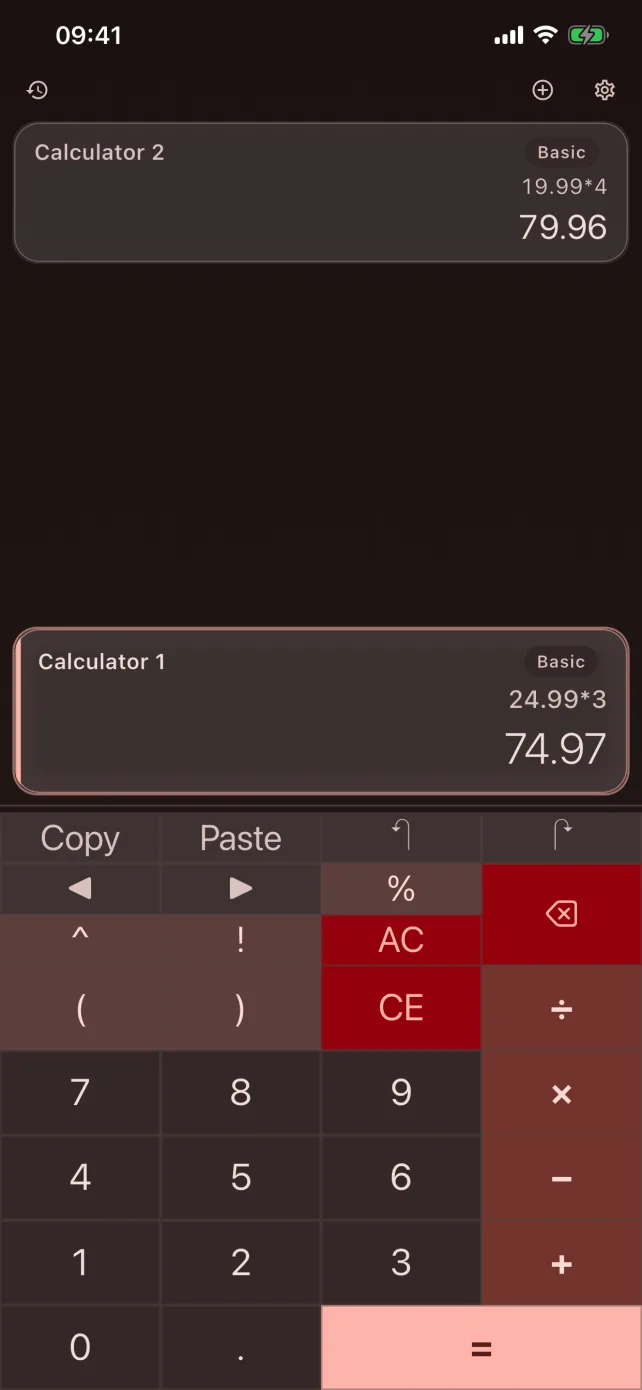
iOS won't split the screen between two apps on iPhone, and it won't run two copies of the Calculator. Here is every approach that actually works, with honest trade-offs.
Download CalcBoard FreeWhy there's no built-in way
iPhone has never supported side-by-side app multitasking — one app owns the screen (Split View is iPad-only). And even where Split View exists, iPadOS won't open two instances of the same calculator app. So "two calculators at once" has to come from a single app that provides multiple calculators itself.
Option 1: A multi-panel calculator app (the real fix)
Several apps put two or more independent calculators on one screen:
- CalcBoard (our app): 2 panels free / up to 8 with a one-time $2.99 purchase; each panel can be a basic, scientific, programmer, or unit-converter calculator; a shared tray and named variables move values between panels; no ads.
- DualCalc, Twin-Calc, and similar: two fixed calculators stacked on one screen. Simple and focused; typically limited to two basic panels.
- MultiCalc and Multiple Calculators: several nameable basic calculators at once, closer to a list of tapes than a mixed-mode workspace.
If you only ever need two basic calculators, a dual-calculator app is enough. If your second calculator is ever a converter, a scientific keypad, or a hex view — or you want the two sides to exchange results — you want a multi-panel app with modes.
Option 2: Calculator app + Math Notes
On iOS 18+, Apple's Calculator includes Math Notes, which evaluates expressions inside a note. You can keep the Calculator open for one problem and a Math Note for another and switch between them. It's genuinely useful for written-out problems, but it's still one screen at a time — you're switching, not seeing both.
Option 3: The web-tab workaround
Open a web calculator in Safari and use the app switcher to bounce between it and the Calculator app. Zero cost, works today, and shares the core flaw: only one calculation is ever visible, and iPhone Safari + app switching is slower than either calculation.
What to pick
| You need | Best answer |
|---|---|
| Two basic calculators, occasionally | Any dual-calculator app |
| Compare prices / check work regularly | Multi-panel app with value transfer |
| Mixed modes (convert + calculate, hex + decimal) | Multi-panel app with per-panel modes (CalcBoard) |
| Long written problems | Math Notes (iOS 18+) |
Frequently Asked Questions
Can I split screen two apps on iPhone?
Can the two calculators share results?
total=149.99) work across every panel. Most dual-calculator apps only offer copy/paste.Does the iPad have a built-in split-screen calculator?
Skip the workarounds
CalcBoard gives you two independent calculators free, on one screen, with no ads.
Download Free on App Store