CalcBoard / Scientific Calculator
A Scientific Calculator With No Ads — and No Rotating Required
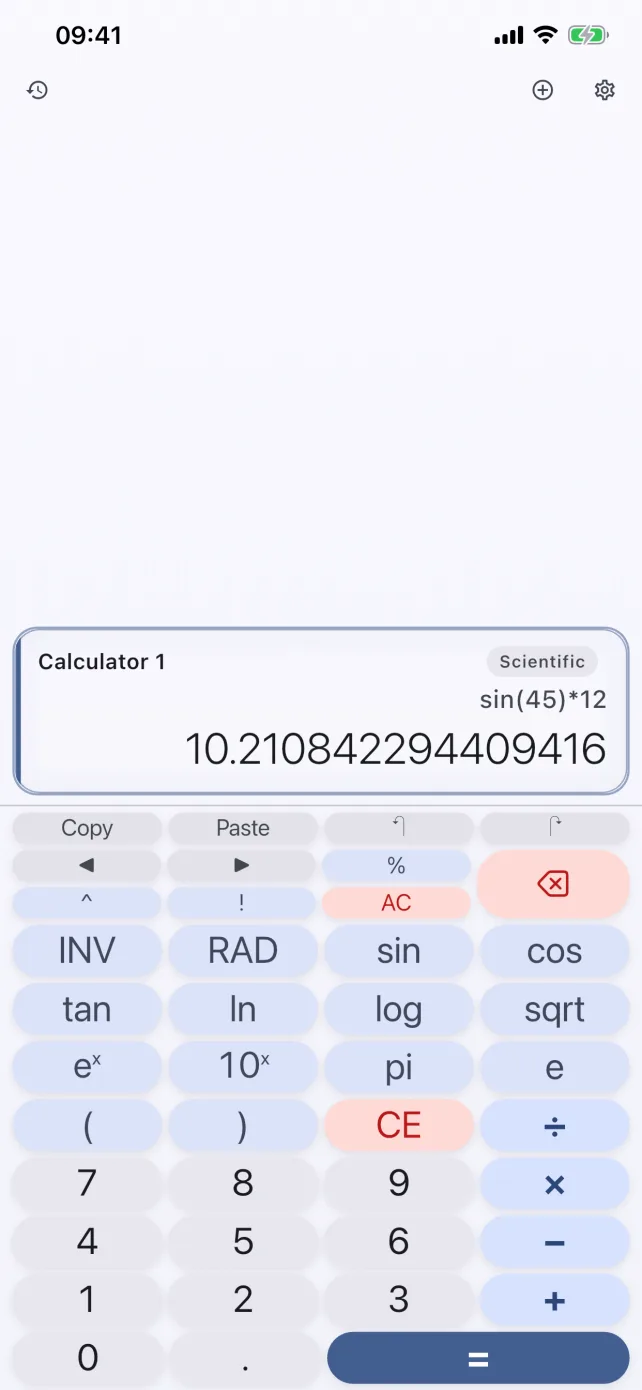
Trig, logarithms, roots, factorials, and constants in any orientation, on a screen you can share with other calculators. No banner ads under your keypad, ever.
Download CalcBoard FreeEverything on the keypad
- Trigonometry: sin, cos, tan and their inverses (asin, acos, atan) with a one-tap DEG/RAD toggle.
- Logarithms & exponentials: ln, log, eˣ, 10ˣ, and arbitrary powers with correct right-associative precedence.
- Roots & factorials: square root, cube root, and factorial (up to 170!).
- Constants: π and e, plus your own named variables — define
g=9.81once and use it in any expression. - Full expression editing: parentheses, an inline cursor, live result preview while you type, and 50 levels of undo.
Unlike the built-in iPhone calculator, scientific mode doesn't hide behind a landscape rotation — it's a first-class mode that works in portrait, landscape, and inside any panel.
Precision you can state precisely
CalcBoard's arithmetic (+, −, ×, ÷, powers, factorials) runs on exact decimal math — 0.1 + 0.2 = 0.3, exactly. Transcendental functions like sin and ln are computed to 15 significant digits, which is as much as any handheld scientific calculator gives you. We say this precisely because a calculator that's vague about precision isn't one you should trust.
Science happens in more than one panel
The reason to run scientific mode in CalcBoard instead of a single-view app: your scientific panel can sit next to a unit converter panel and a basic panel. Convert the measurement, run the formula, tally the results — all visible at once, with the shared value tray moving numbers between them.
Frequently Asked Questions
Is CalcBoard's scientific calculator free?
Does it support degrees and radians?
Which scientific functions are included?
How accurate is it?
Scientific power without the ads
Download free, then unlock scientific mode with a one-time $2.99 purchase. No subscription.
Download Free on App Store