CalcBoard / Side-by-Side Calculator
A True Side-by-Side Calculator for iPhone & iPad
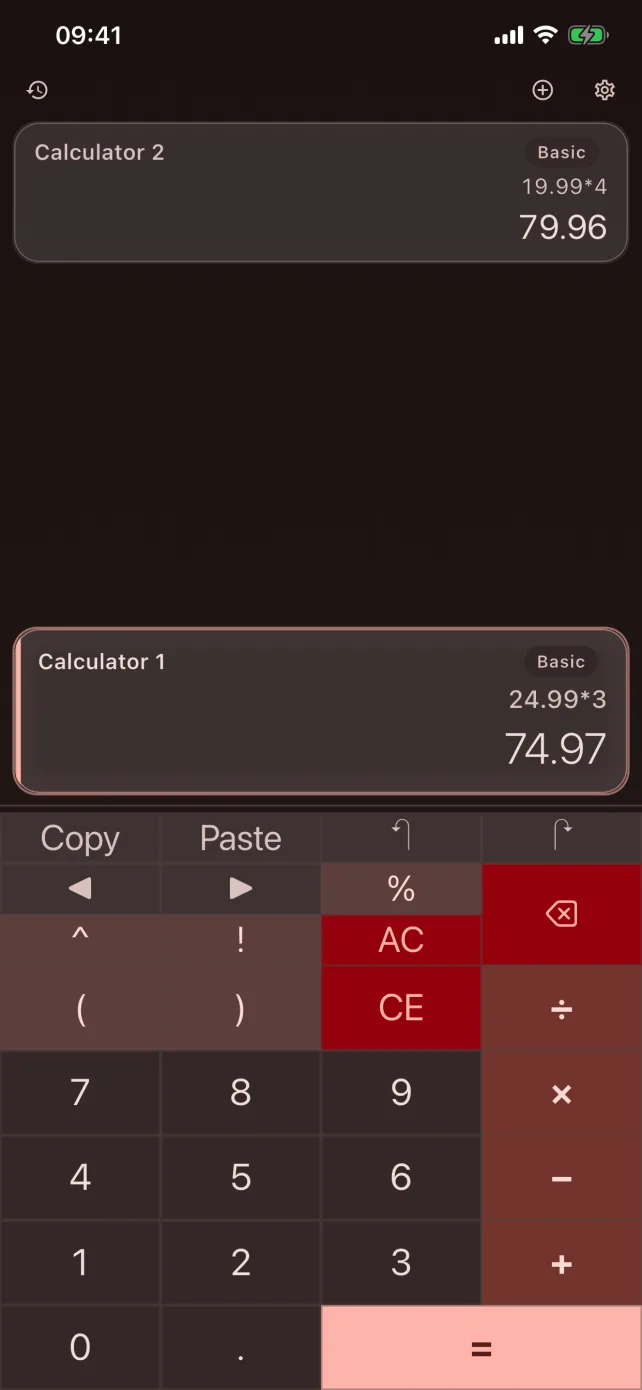
CalcBoard puts two independent calculators on screen for free — and up to eight with Premium. Every panel keeps its own numbers, its own mode, and its own history, so you can finally compare two calculations without clearing either one.
Download CalcBoard FreeWhy one calculator is never enough
Every phone calculator has the same blind spot: it holds exactly one number. Compare two prices and you're memorizing the first result while typing the second. Check your work and you destroy the original. The workaround everyone uses — jotting intermediate results into Notes — is exactly the problem a side-by-side calculator removes.
CalcBoard opens with two independent panels ready to go. Type 24.99 × 3 in the left panel, 26.50 × 3 − 5 in the right, and both results sit on screen together. Nothing to memorize, nothing to clear.
Independent panels, shared results
- Each panel is a complete calculator. Its own expression, its own result, its own undo/redo — clearing one never touches another.
- Different modes per panel. Run basic arithmetic on the left and a unit converter on the right, or scientific next to programmer (modes beyond basic are part of Premium).
- Shared value tray (Premium). Push a result from one panel and pull it into any other — the tray holds up to 50 values, each tagged with its source panel.
- Named variables. Type
tax=0.0825once and useprice*taxin any panel, in any mode. Variables persist between sessions. - Built-in layouts. Quick-launch presets set up common pairs instantly: Price Comparison and Homework Helper are free; Engineering and Developer come with Premium.
Made for how you actually compare
Comparing two loan offers? Put each scenario in its own panel and change one number at a time. Grading homework? Keep the answer key calculation open while you re-run each problem. Cooking from a doubled recipe? One panel scales quantities while another converts units. The point of side-by-side isn't novelty — it's that both numbers stay visible while you think.
Results are exact, too: CalcBoard computes with decimal arithmetic rather than floating point, so 0.1 + 0.2 is exactly 0.3 — which matters when the two numbers you're comparing differ by pennies.
Frequently Asked Questions
Can I really use two calculators at once on iPhone?
How do I move a result from one calculator to the other?
subtotal) and type them into any panel's expression.Does side-by-side work on iPad too?
Is the side-by-side layout free?
Put two calculators on one screen
Free download. Two panels included. No ads, no account, no subscription.
Download Free on App Store